 ValiBeleg
Check e-invoices before they are booked.
ValiBeleg checks every XRechnung and ZUGFeRD invoice with the official KoSIT validator – right on your PC. Errors are explained in plain language, mapped to the mandatory details of § 14 German VAT Act and documented in a check report.
- Checks run 100% locally
- Works with any ERP or accounting software
- German & English
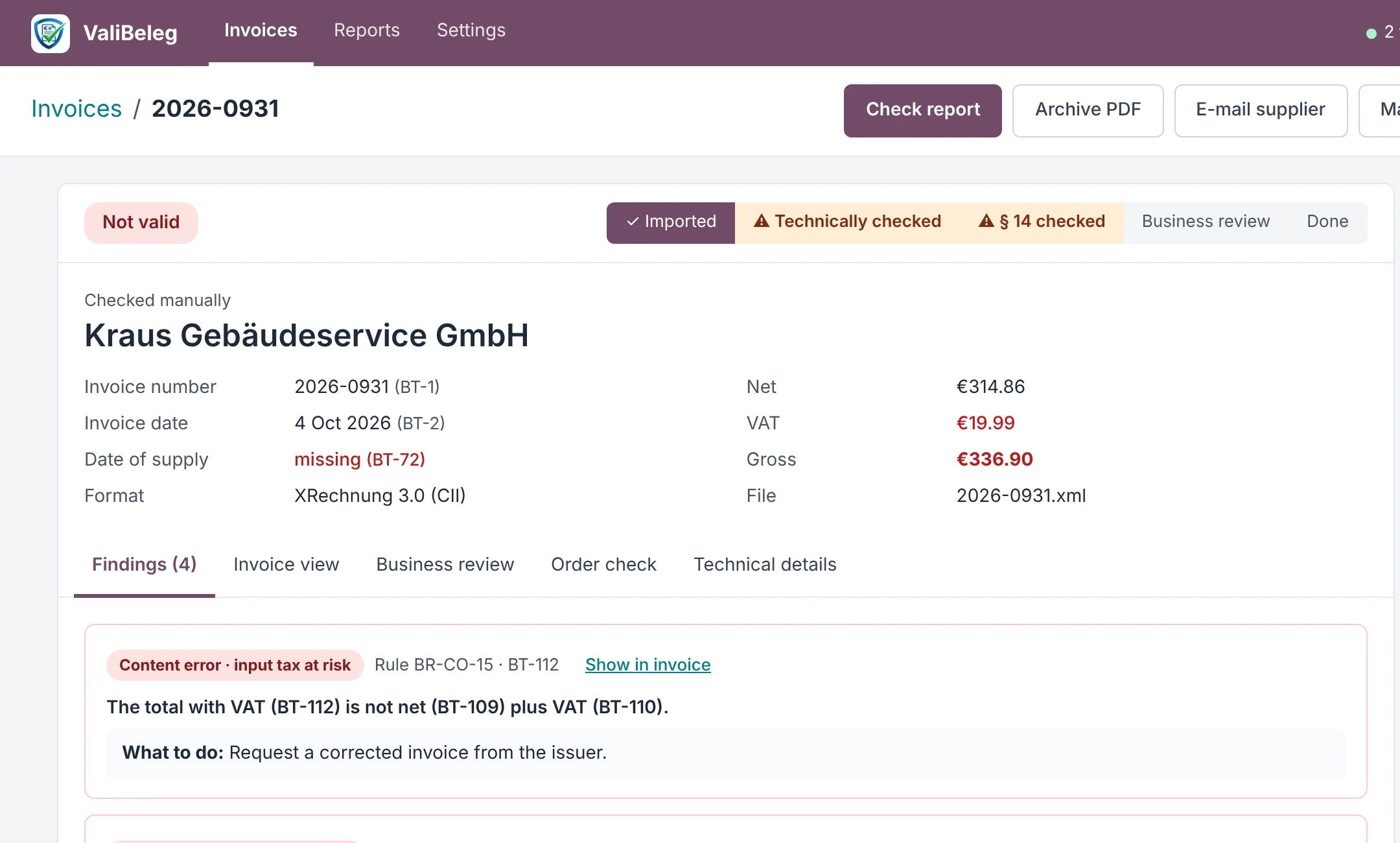
An e-invoice is only good if it is also correct for tax purposes.
A technically valid file says nothing about input VAT deduction. ValiBeleg checks both and records the result.
No third-party servers
Free online validators ask you to upload invoices with bank details, prices and customer names. ValiBeleg works completely offline.
More than technology
Many tools only report schema errors. ValiBeleg also checks the mandatory details of § 14 UStG and classifies every error by the error types of the German Federal Ministry of Finance.
Evidence for audits
Every invoice gets a check report with timestamp, rule version and SHA-256 hash of the original file – for tax advisers and tax audits.
Set it up once – ValiBeleg does the rest.
Choose folders
In the settings you pick one folder for incoming and one for outgoing invoices. Your ERP, your mailbox or you drop the files there.
Automatic checks
New XML and ZUGFeRD files appear in the list within seconds: valid, faulty or invalid.
Clear and file
Clear findings with a reason, e-mail the supplier, approve the business review and mark as done. The check report is ready as PDF.
Works with any software that exports e-invoices as XML or ZUGFeRD PDF.
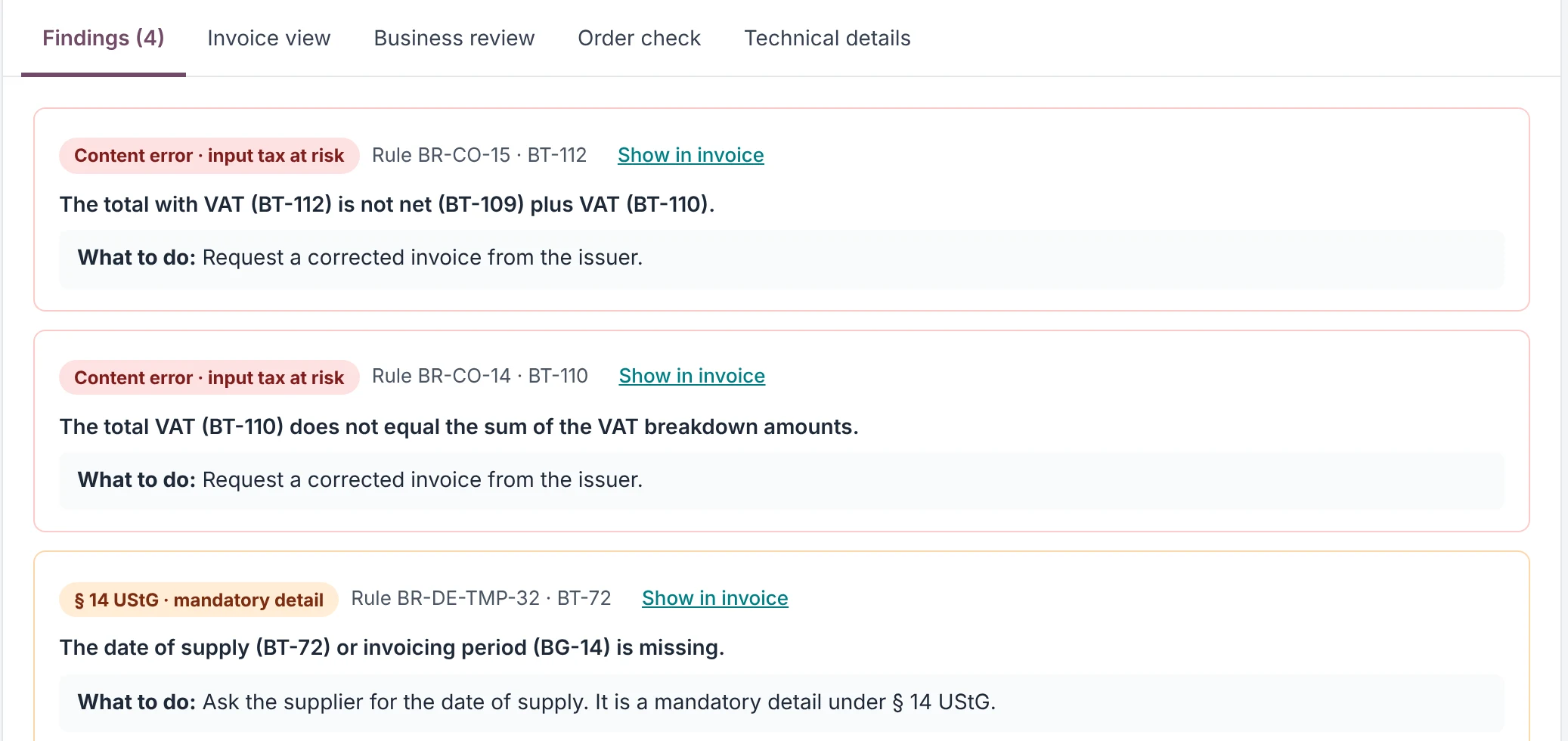
Every finding says what is wrong – and what to do.
Plain language instead of error codes
Instead of “BR-CO-15 failed” you read: “The gross amount is not net plus VAT.” With BT field, highlighting in the invoice view and a concrete next step. Every finding is classified:
- Content errorinput VAT deduction at risk
- § 14 UStGmandatory detail missing or wrong
- Business rulecorrect it, no input VAT impact
- Riske.g. changed bank account
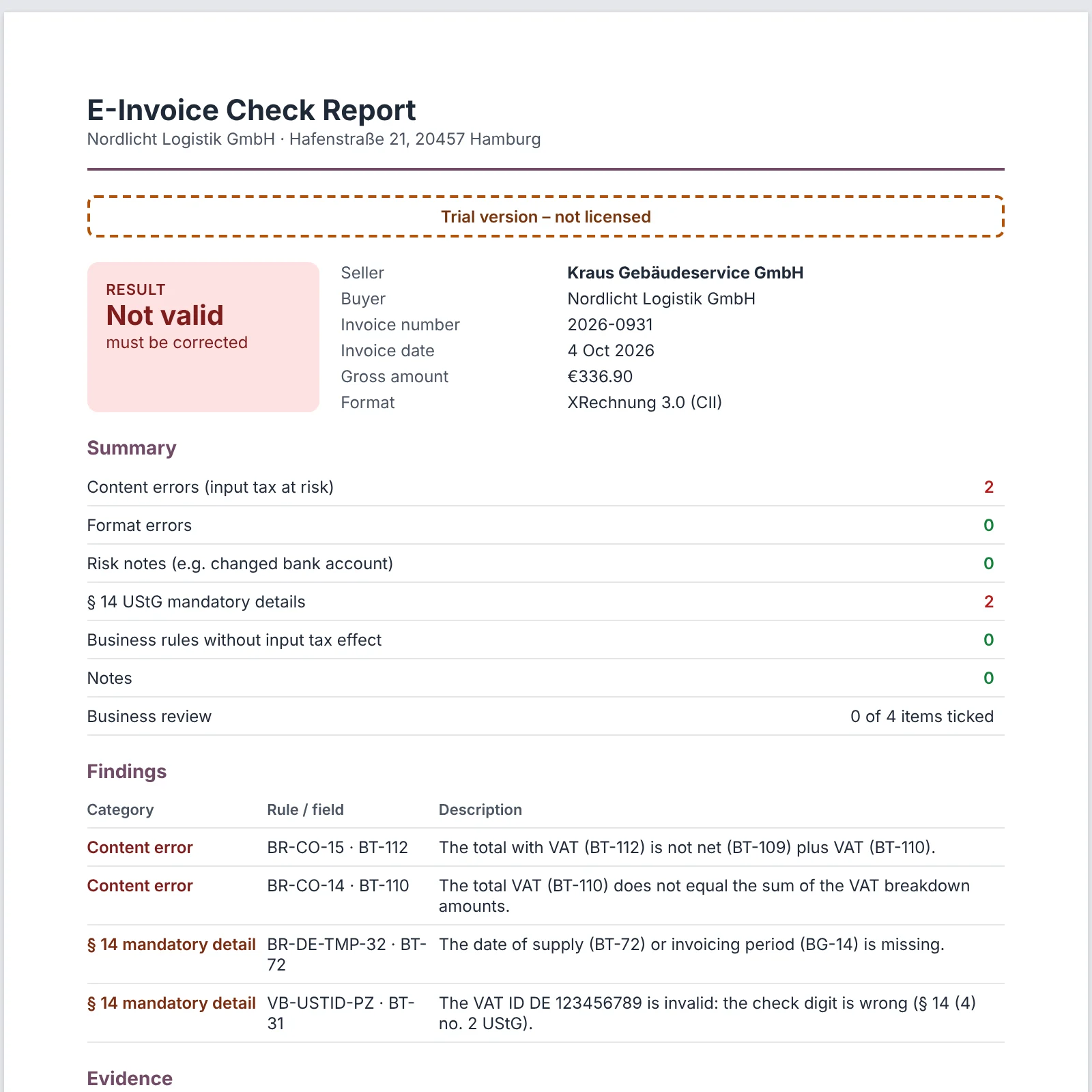
Check report with your logo
For every invoice ValiBeleg creates a PDF check report: result, all findings, cleared items with their reason, business review and proof of which rule set was used and when. Optionally as an archive PDF together with the readable invoice.
Warning when bank details change
Invoice fraud often starts with a new IBAN. ValiBeleg remembers your suppliers' master data from checked invoices and warns when the bank account or VAT ID suddenly changes.
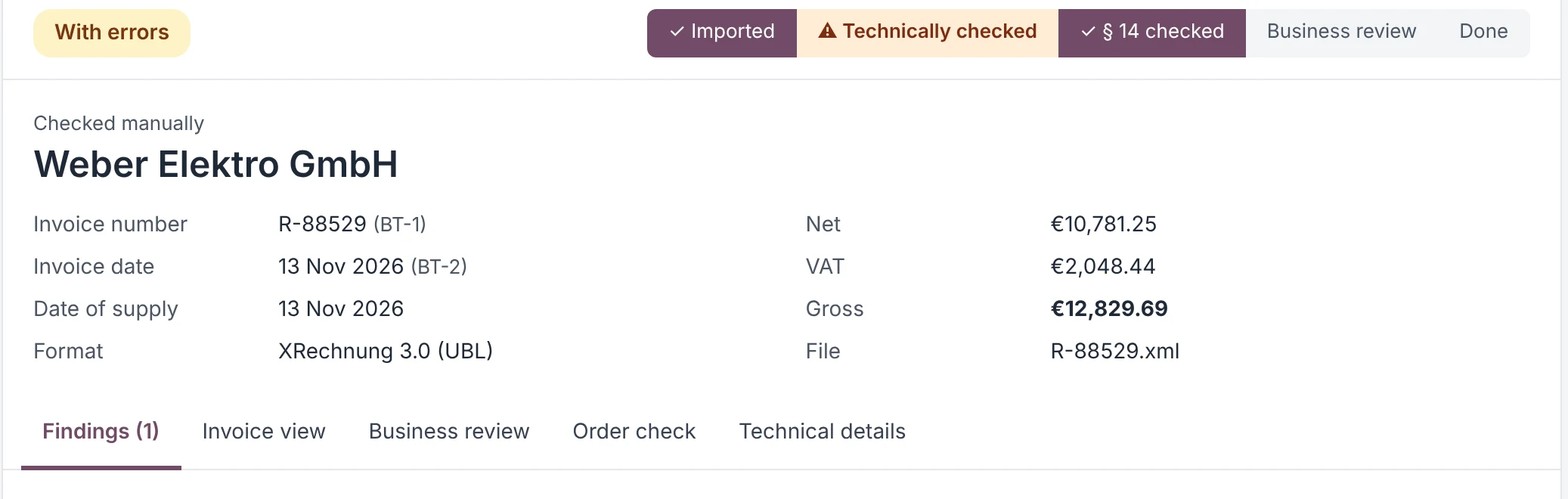
Everything accounting needs for e-invoices.
Official KoSIT validator
XRechnung 3.0 and EN 16931 rules, the same ones used by German public authorities.
§ 14 UStG mandatory details
Date of supply, tax number or VAT ID with check digit, invoice number, tax disclosure.
Watched folders
Incoming and outgoing kept apart, new files are checked automatically. Bulk checks of whole folders, too.
Protection against invoice fraud
Warning on new IBANs, IBAN checksum and detection of duplicate invoices.
Purchase order check
Optional: load the purchase order as PDF and verify the invoice comes from the ordered supplier.
Ask the supplier
E-mail listing all errors with the check report attached – in Outlook, Thunderbird or your webmail.
Business approval
Checklist with name, date and comment. Clear findings with a mandatory reason.
Invoice numbering
Checks outgoing invoices for gaps and duplicate numbers (§ 14 (4) no. 4 UStG).
Monthly overview & export
Statistics per month, most frequent errors, problem partners – as PDF or CSV for your tax adviser.
Updates for new rules
New KoSIT rule sets with one click, or as ZIP for PCs without internet. Older invoices stay traceable.
German and English
Interface per user, check reports set separately – for international teams.
Readable invoice view
A clear invoice instead of XML; faulty fields are highlighted.
Your invoices stay with you.
Invoices contain bank details, prices and names. That is why with ValiBeleg not a single invoice leaves your computer.
One workstation or the whole accounting team.
Annual licence including all updates for new validation rules. Cancel yearly.
Trial
- All checks and reports
- No credit card needed
- Results stay readable afterwards
Single user
- Unlimited invoices
- Rule updates included
- Your logo on the check report
Team
- Everything in Single user
- For the whole accounting team
- One licence key for all
Company licence
- Any number of workstations
- Licensed to your company
- Personal onboarding
Businesses only. All prices plus statutory VAT; the subscription renews yearly and can be cancelled for the end of the term. After a licence ends, all invoices and reports remain viewable and exportable (retention under GoBD). Licence terms
Frequently asked questions
Which ERP or accounting software does ValiBeleg work with?
With any software that issues or receives e-invoices as XRechnung (XML) or ZUGFeRD PDF – for example Odoo, SAP, DATEV, Lexware or sevDesk. ValiBeleg reads the files from a folder; no interface is required.
Which formats are checked?
XRechnung 3.0 in UBL and CII syntax and ZUGFeRD 2.x / Factur-X. For ZUGFeRD PDFs ValiBeleg extracts the embedded XML automatically and warns about the MINIMUM and BASIC-WL profiles, which do not count as e-invoices in Germany.
Are my invoices uploaded anywhere?
No. All checks run on your computer. ValiBeleg only goes online to activate the licence and check for updates – only the licence key and version numbers are transmitted.
What happens when KoSIT publishes new rules?
New rule sets are tested and provided as a signed update. You install it with one click in the settings, or as a ZIP file if the PC has no internet. Every check report records the rule version used.
Does ValiBeleg replace my tax adviser?
No. ValiBeleg is a checking aid: it finds formal and arithmetic errors and missing mandatory details. Whether a transaction is treated correctly for tax purposes remains the responsibility of accounting and, where needed, your tax adviser.
Can several colleagues use it?
Yes. Each workstation can use its own installation; a company's licences are grouped together. A central installation on the company network is in preparation.
What happens after the trial or licence ends?
New checks are no longer possible, but all previous invoices, findings and reports stay readable, printable and exportable.
What are the system requirements?
Windows 10 or 11 (64-bit). Everything else – including the Java runtime and the KoSIT validator – is included. No administrator rights needed.
Check your next e-invoice with ValiBeleg.
30 days free, no obligation. No sign-up, no credit card.